
A fast cashier for dine-in and takeaway, on any device
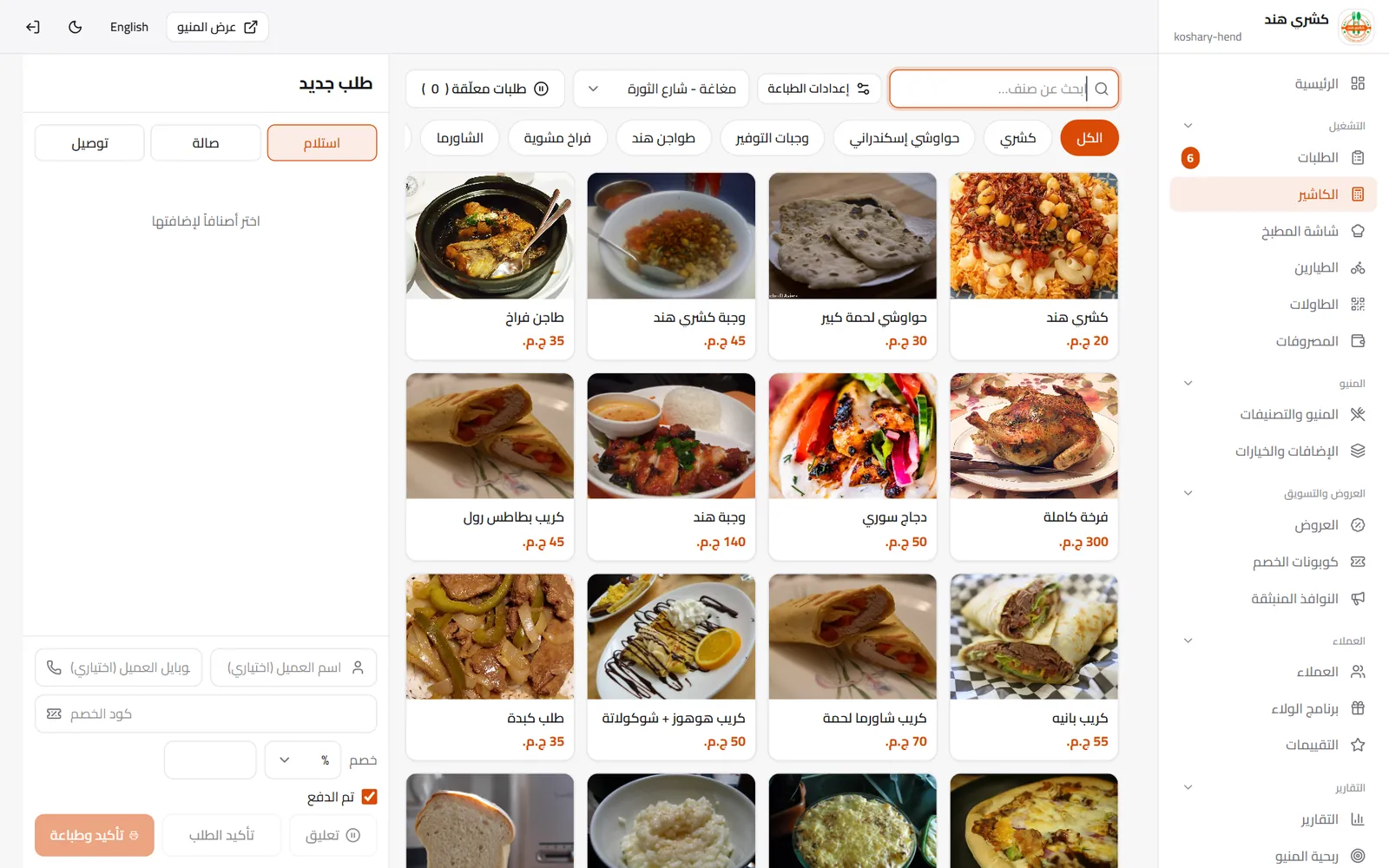
Sell from the same menu customers see: pick items and add-ons, the order goes straight to the kitchen and the receipt prints. It runs in the browser on any laptop or tablet, with nothing to install.
✓ No bank card needed✓ No commission on orders
The problem we solve
- Traditional POS software is expensive and needs special hardware and installation.
- Counter orders live in a notebook and online orders somewhere else, so the day never adds up.
- Cashier prices differ from menu prices because each is edited separately.
How it works
-
1
Open the cashier
From the dashboard on any laptop or tablet, with your menu ready.
-
2
Ring up the order
Items, sizes, add-ons and the order type: dine-in, takeaway or delivery.
-
3
Close the bill
Print the receipt; the order shows in the kitchen and in today’s reports.
What you get
Fast selling
Search, categories and big touch-friendly buttons, so an order takes seconds.
Held orders
Hold a table’s order and finish it later without losing it.
Receipt printing
A customer receipt and a kitchen ticket, in your brand with tax details if you have them.
One menu everywhere
A price change shows on the cashier and the online menu at the same moment.
Staff permissions
Cashiers see only what they need, and the activity log shows who did what.
One report for every order
Counter, online and table sales together, day by day and per branch.
Questions about Cashier (POS)
Do I need special hardware?
No. Any laptop or tablet with a browser, and you can connect a receipt printer if you have one.
Which plan includes the cashier?
The Cashier plan and above, with a free 14-day trial.
Can several cashiers work at once?
Yes, each with their own account and permissions, and all orders in one place.
Do counter orders reach the kitchen?
Yes, they appear on the kitchen screen in order alongside online and table orders.
More on the same platform
Ready to run your restaurant the smarter way?
Start free and put your menu, orders and cashier in one place.