
A kitchen screen: every order in front of the chef, in order
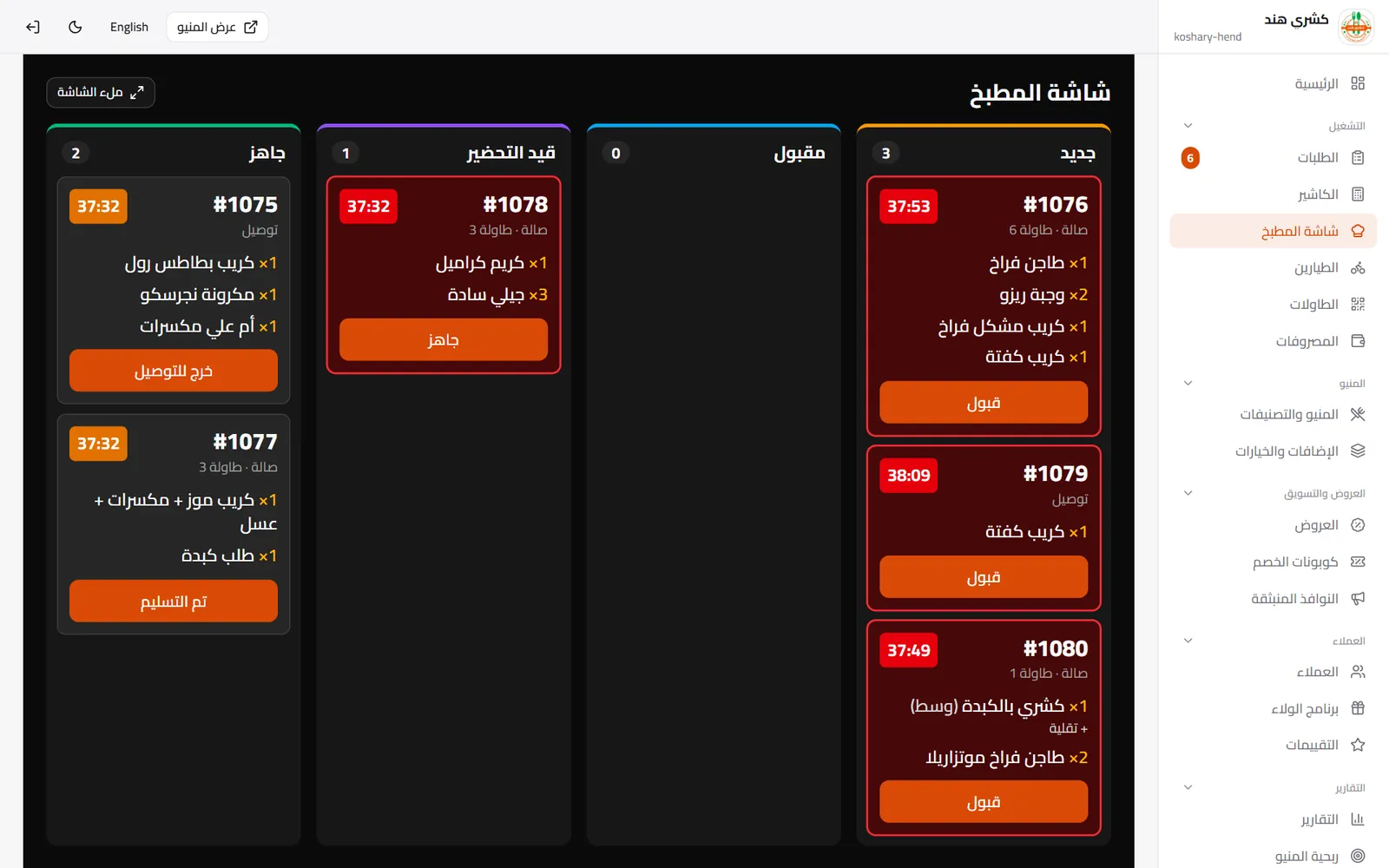
Instead of paper tickets that get lost and shouting between the floor and the kitchen: every order appears on the screen the moment it is accepted, with a timer that flags late ones, and the chef taps Ready so the floor and the customer know.
✓ No bank card needed✓ No commission on orders
The problem we solve
- Paper tickets get lost or misread, and orders run late without anyone noticing.
- The floor keeps asking the kitchen “is it ready?” while the customer waits.
- There is no number telling you how long the kitchen takes per order.
How it works
-
1
The order is accepted
Online, at the counter or at a table — it shows on the kitchen screen right away.
-
2
The chef prepares
Each order with its items, add-ons and notes, and a timer from the moment it was accepted.
-
3
Ready
One tap moves it to Ready and tells the floor or the driver, and the customer.
What you get
Columns by status
New, accepted, preparing, ready — the whole kitchen sees the same picture.
Order timer
Every order with its time, and late ones turn red so they get caught.
Add-ons and notes
Extra sauce or no onions, written clearly next to each item.
Any screen
A tablet, TV or laptop in the kitchen, in full-screen mode.
New-order alert
A sound for every new order so none is missed.
A screen per branch
Each branch sees its own orders only.
Questions about Kitchen screen (KDS)
Do I need special hardware for the kitchen?
Any screen with a browser: a tablet, laptop or smart TV.
Which plan includes the kitchen screen?
The online-ordering plan and above.
Do dine-in and online orders show together?
Yes, accepted orders from every source show on the same screen in sequence.
Can I also print kitchen tickets?
Yes, you can print a ticket for each order alongside the screen if you like.
More on the same platform
Ready to run your restaurant the smarter way?
Start free and put your menu, orders and cashier in one place.